
 Real Geeks Widget
Blog Slider Widget
Deploy a beautiful interactive blog slider with arrow navigation to your Real Geeks website in under 3 minutes. No coding experience required.
Get Started Now →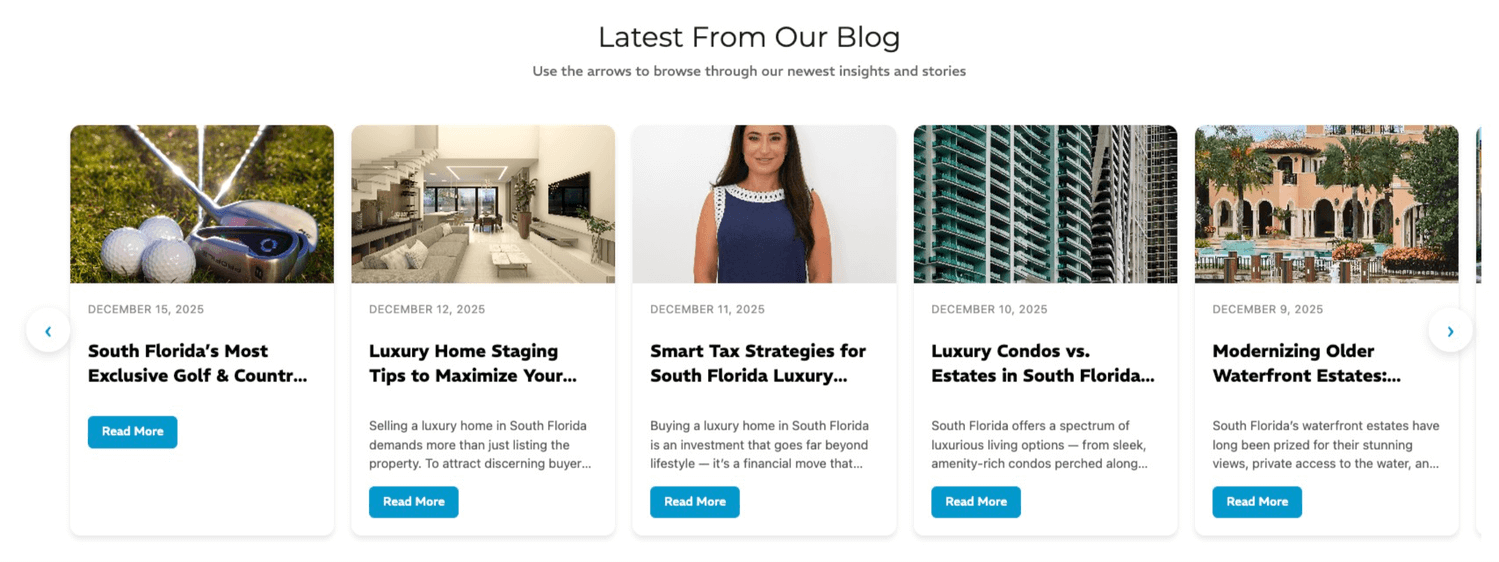
Deploy in 3 Easy Steps
Follow these simple instructions to add a stunning blog slider to your Real Geeks website
Copy the Widget Code
Click the "Copy Code" button below to copy the complete widget code to your clipboard. This code includes everything needed for your blog slider to work perfectly.
Open Real Geeks Source Code Editor
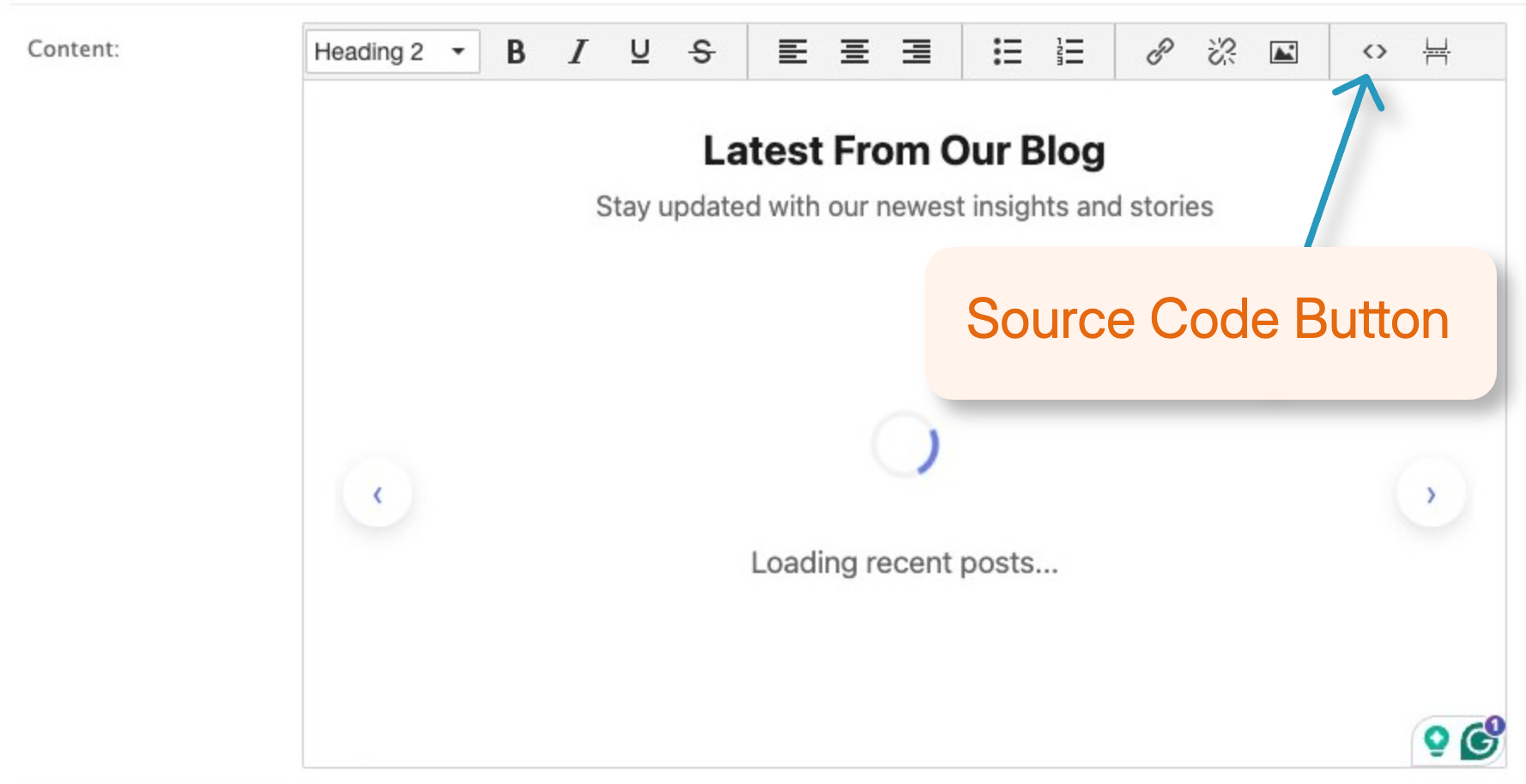
In your Real Geeks dashboard, navigate to the page where you want to add the slider. Look for the </> (source code) button in the editor toolbar - it's typically in the top-right corner of the content editor.
Paste and Save
Click the source code button, paste the copied code into the editor, then click save. Your blog slider will immediately appear on your page with your 10 most recent blog posts!
✨ Auto-Updating Widget
This widget automatically fetches your latest blog posts from your Real Geeks blog. No manual updates required - whenever you publish a new post, it will automatically appear in the slider!
📸 Featured Images: The widget automatically uses the very first image in each blog post as the featured image. If a post has no images, it displays a beautiful gradient placeholder instead.
Widget Features
Everything you need for a professional blog showcase
Auto-Fetching
Automatically pulls your 10 most recent blog posts from your Real Geeks blog without any manual configuration.
Manual Navigation
Use the left and right arrow buttons to browse through posts at your own pace - no auto-scrolling distractions.
Arrow Controls
Elegant left and right arrow buttons let visitors click to browse through all 10 blog posts seamlessly.
Infinite Loop
Smoothly loops from the last post back to the first (and vice versa) for continuous browsing without interruption.
Fully Responsive
Looks beautiful on all devices - desktop, tablet, and mobile. Adapts perfectly to any screen size.
Modern Design
Clean card-based layout with smooth animations, gradient placeholders, and professional styling.
💡 Pro Tip
Place this widget on your homepage, property pages, or any landing page to keep visitors engaged with your latest content and establish yourself as a local real estate authority.